
Dashboard
The Unakite Dashboard is a web app that contains all the tasks you worked / are working on and their respective details. There are two main views:
-
a task detail view that contains all the snippets you collected and the tables you built for a task
-
an all tasks view that contains a list of all the tasks you have under your account.
Task Detail View
Below is an example of the task detail view for "how to store information in chrome extensions". It offers all the same organizing functionalities as those in the sidebar but in a much larger canvas. In addition, you can also:
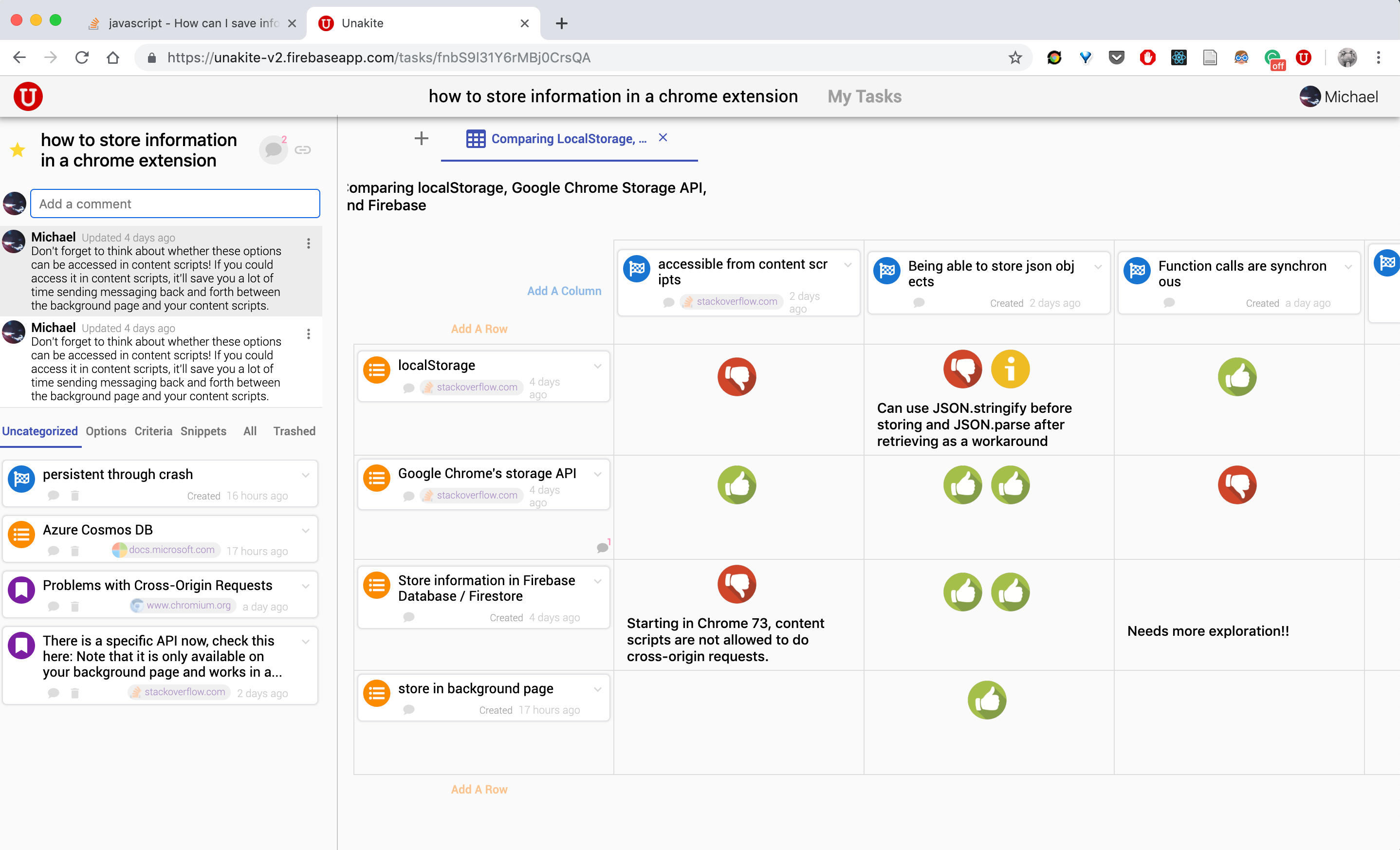
All the edits are automatically synced across here and the sidebar.
All Tasks View
All tasks view contains a list of all the tasks you have under your account in the form of task cards. In addition, it collects all the "starred" tasks into a Starred section at the top for quick access and reference.
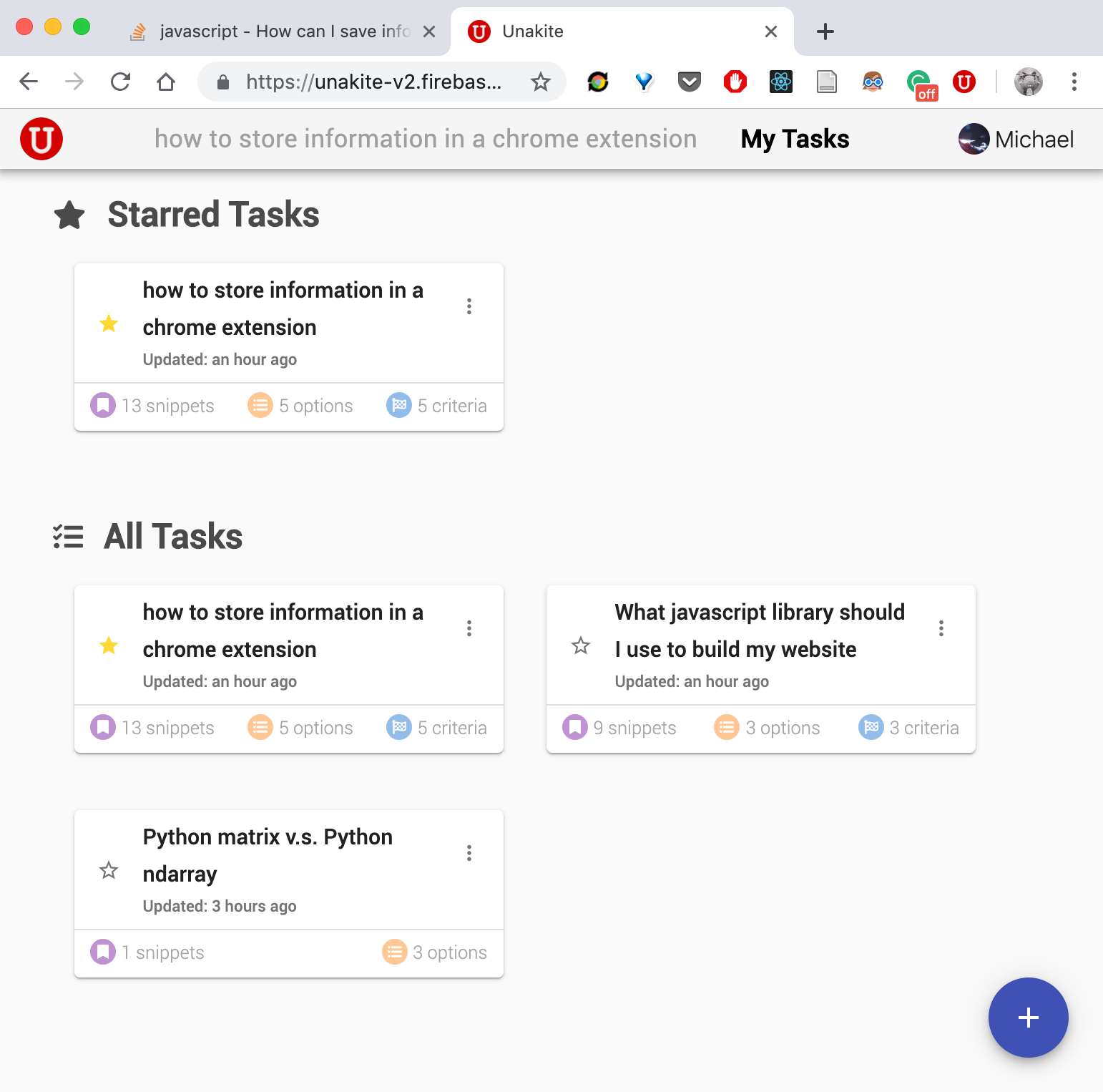
You can use the
 button to create a new task here.
Go to a Task Detail Page
To visit the detail page a particular task, simply click the task name in the target task card.